Maybe you recently got married. Maybe you’re rebranding your business. Or perhaps you saw one typo and it’s been driving you crazy for years. Whatever the case, knowing how to change your name on Facebook can certainly be challenging especially because Facebook has a strict policy and generally wait periods.
If you’ve asked yourself, how can I change my name on Facebook and not get red flagged or blocked, well you’re in the right spot. In this guide, we’re going to take a look at exactly how to change your Facebook page name, however the rules and what you need to know in order not to get into trouble while rebranding your page and making sure you don’t miss a step along the way. By the time you finish, you'll have a clear idea of what to do and what not to do.
As per the official Facebook Name Standards, your name character should be in accordance with your real name without symbols, digits or abnormal capitalization.
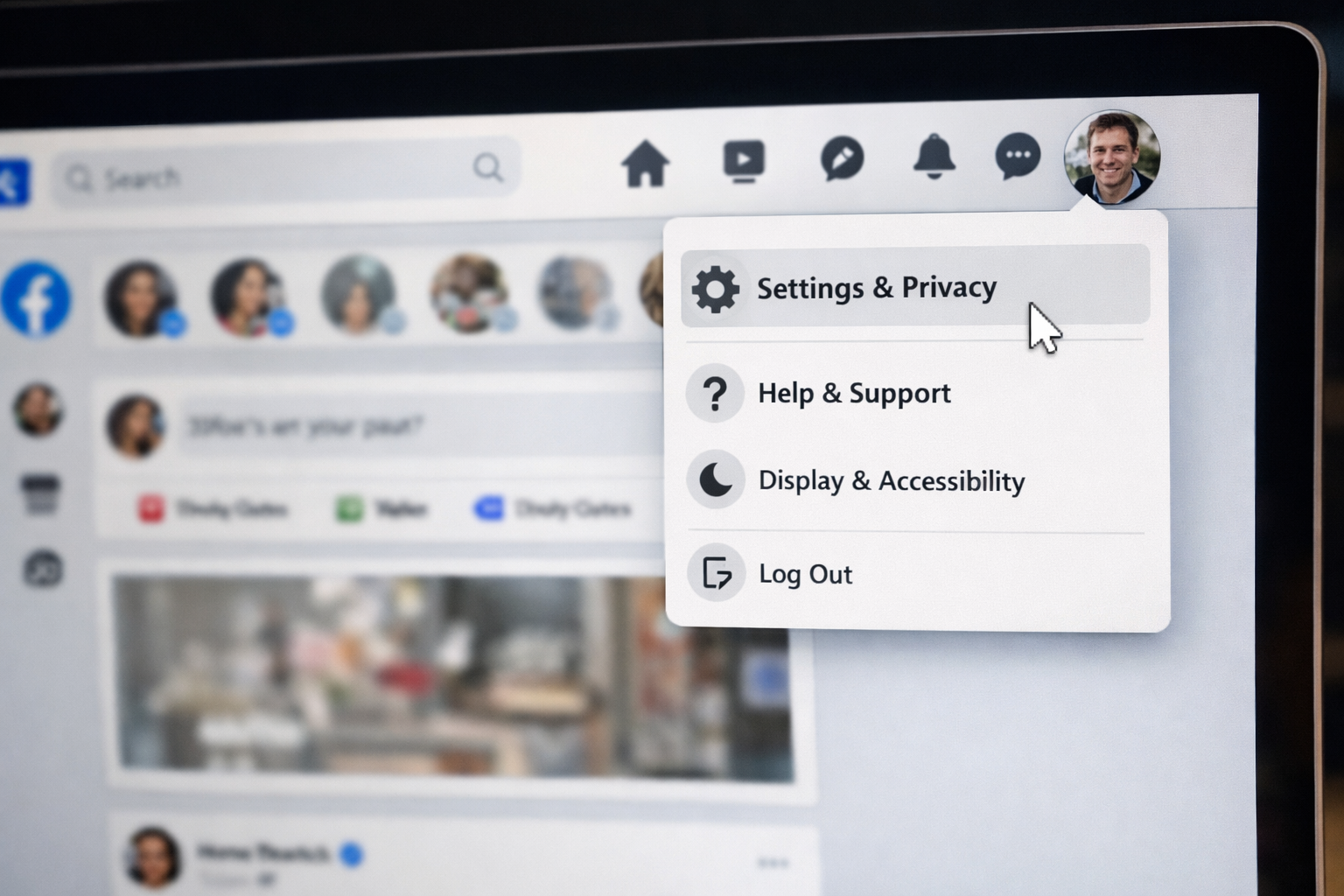
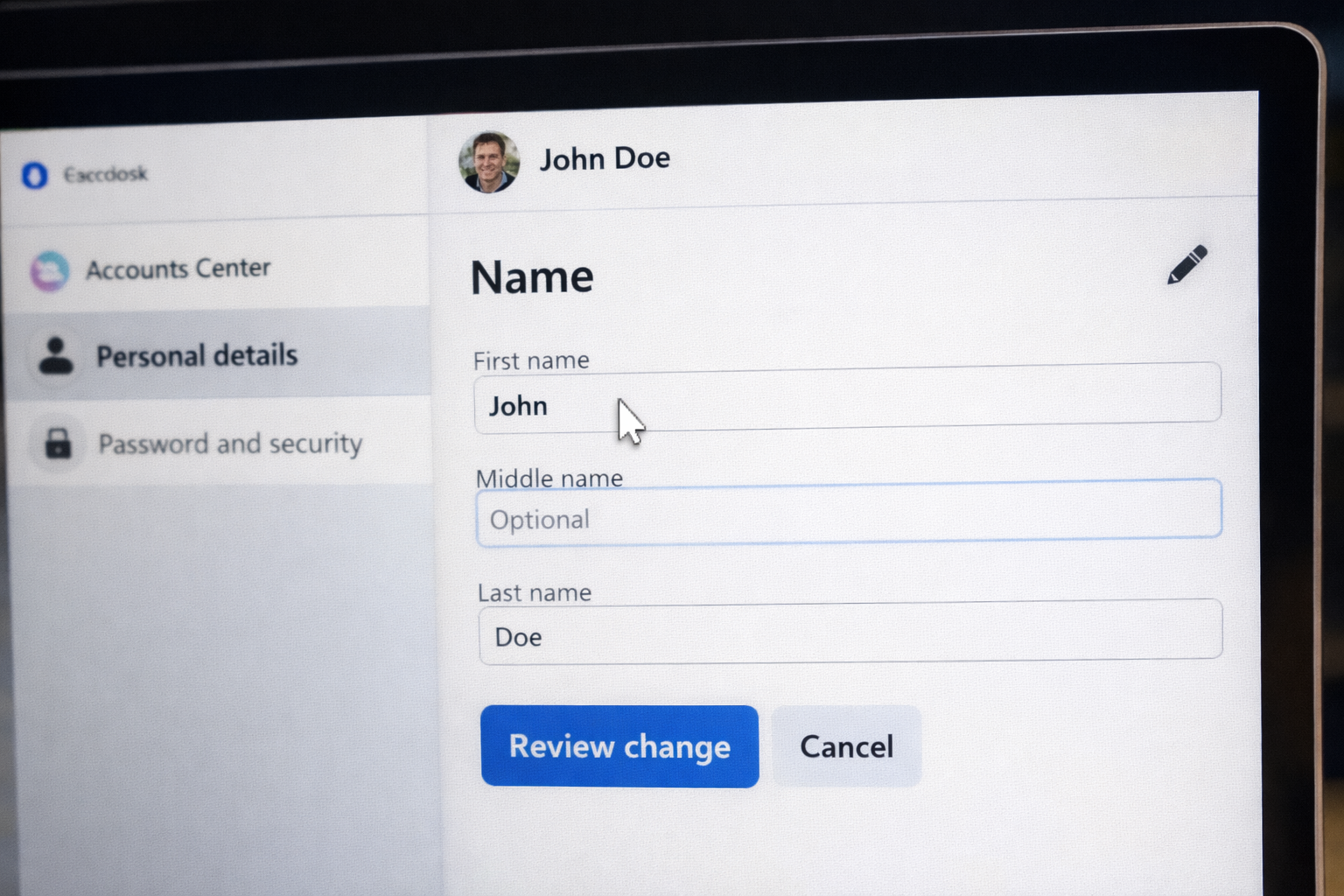
Select the Facebook profile that falls under “Accounts Center.” On your name, click to edit.
Here you’ll enter:
This is when you get that official facebook name change.
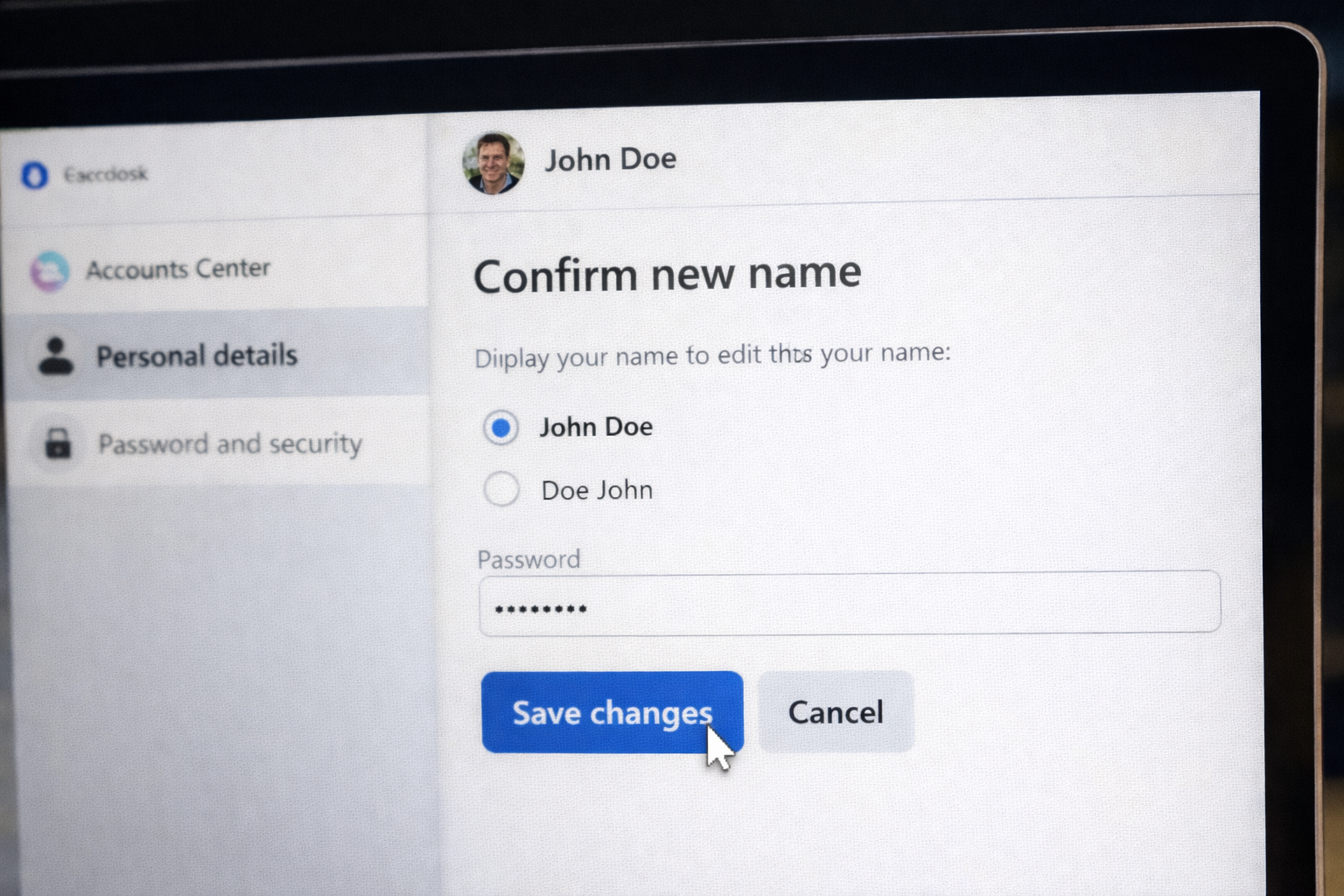
After entering your updated name:
Remember: You can only change your name once every 60 days.
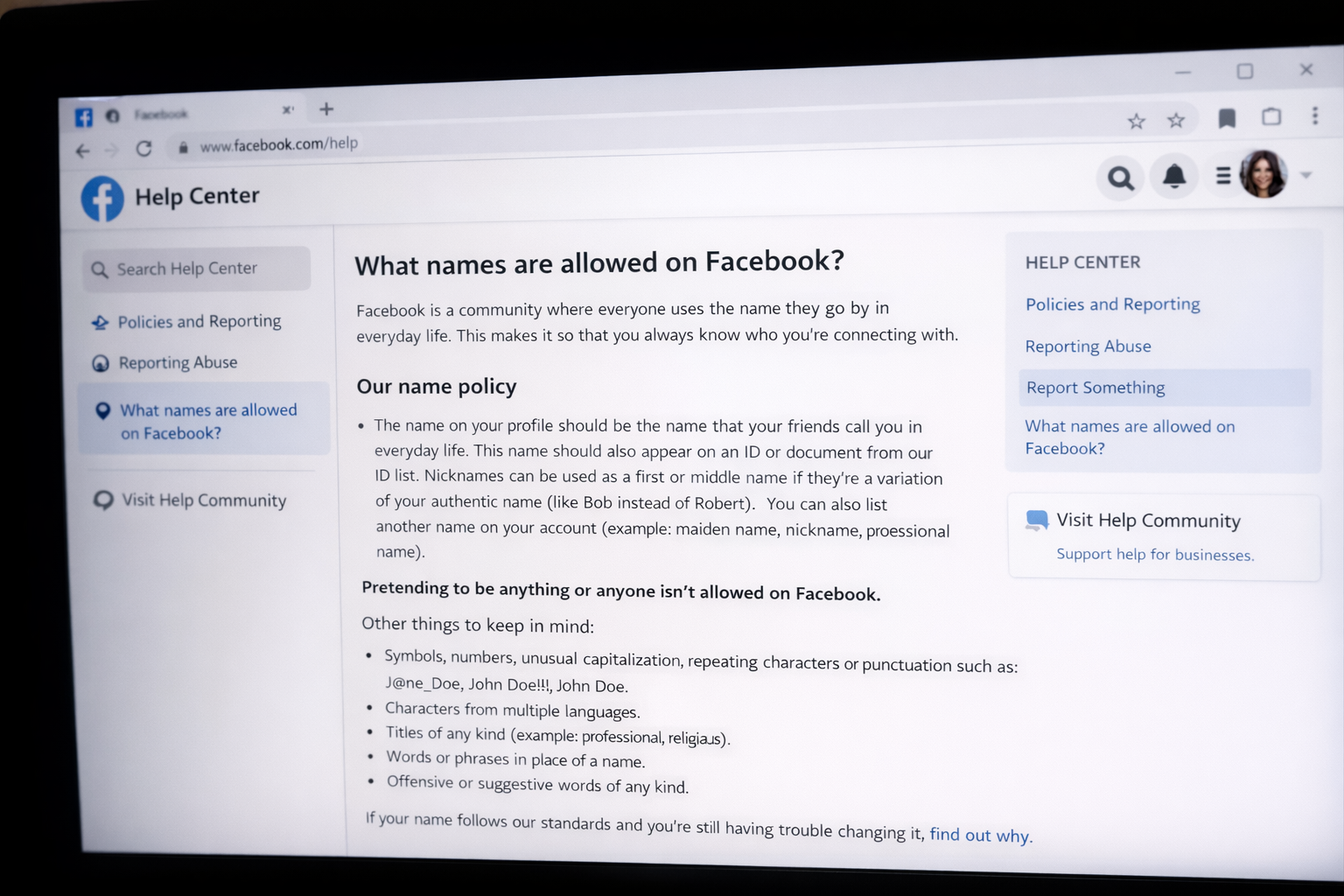
One of the most popular questions is, how many times can I change my name on FB?
The answer is multiple times but there is a 60-day waiting period between Facebook name changes. This prevents abuse and impersonation. If you recently changed your name and made an error, you’ll have to wait before correcting it again unless you get in touch with Facebook support and send in your real ID.
According to Meta transparency reports, verifying your identity would help lower fake accounts and impersonation applications across the platform.
And yet another common question, can you change name on Facebook without ID.
In the majority of instances, yes, provided your name complies with Facebook’s naming policy and doesn’t trip up any automated security checks. However, Facebook may request:
This usually happens if:
Best practice: unless you want to get in trouble just use your real legal name.
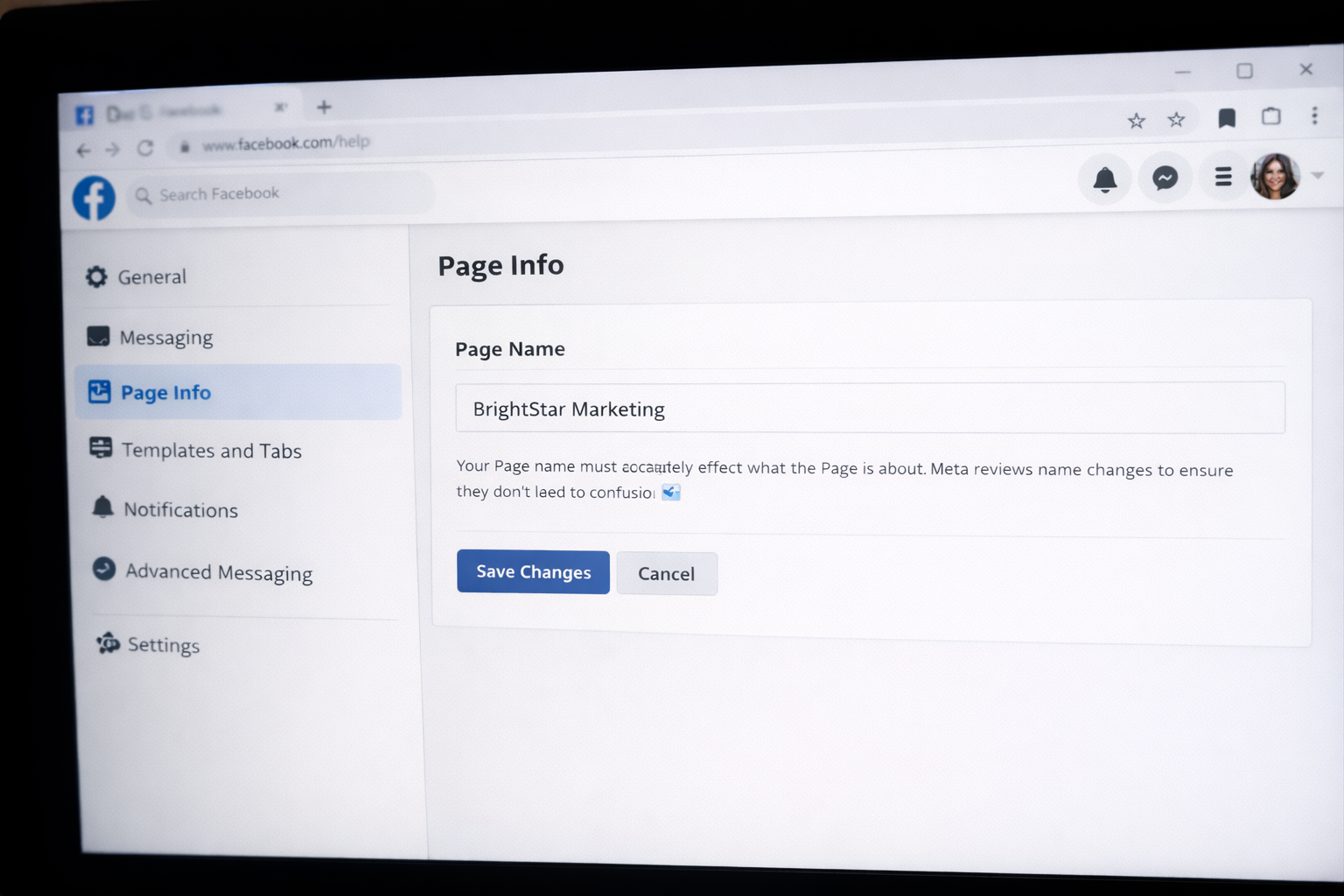
And if you run a company page, you may be wondering, can I change my business name on Facebook?
Yes, but it’s a little bit different.
For Business Pages:
Facebook reviews business name changes to avoid unfair branding. Approval usually takes 3–7 days.
If you’re changing branding overall, consider tweaking:
Consistency will help keep trust and SEO visibility.
Many readers are getting mixed up due to speculation about Facebook’s new name.
In 2021, Facebook re-named its parent company to Meta. But the platform itself is still known as Facebook. This rebranding of the corporation does not impact your ability to change your personal and business name.
Knowing this difference can prevent you from being confused later in a name change process.
These are the reasons why most people change their Facebook name:
If you’re changing your name due to safety or hacking concerns, it can be a good idea to review your account security settings. If you can’t get into your account, you may need to recover your Facebook account.
For readers concerned about their accounts being flagged or temporarily locked, consider following this advice from experts:
If your request to update your name is denied:
If issues continue, then Facebook’s Help Center will be your next best bet, or you can simply send a photo of your ID. In some cases, this happens because Facebook suspended your account or placed temporary restrictions on it. When standard steps don’t resolve the issue, professional social media support services can help speed up the recovery and verification process.
You are only able to change your name once every 60 days. You must wait after you’ve made a Change Unless Facebook makes an exception.
Facebook can prevent your request if it doesn't comply with naming standards, has unusual formatting or you're in the 60-day waiting period.
Not always. But Facebook can ask for an ID if the name looks fishy or weirdly unfamiliar compared to your old name.
Facebook does not send a direct notification when you change your name. However, your updated name will appear the next time someone views your profile or comes across your posts, so friends may notice the change naturally.
On Facebook, some nicknames are allowed if the platform deems them shortened forms of your legal name.
So, that is how you can change names on Facebook without issues. Whether you’re updating your account with a new personal model or rebranding your business, following Facebook’s guidelines will help keep your account from being delayed or blocked.
Should you hit account restrictions, identity verification issues or unexpected login requests, please do not panic. These situations are usually fixable with the right steps and support. If needed, you can explore professional social media recovery services for additional guidance.
By starting today, you can create a profile that is secure, compliant, and completely under your control.
.avif)



.avif)


.png)
.png)
.png)
.png)