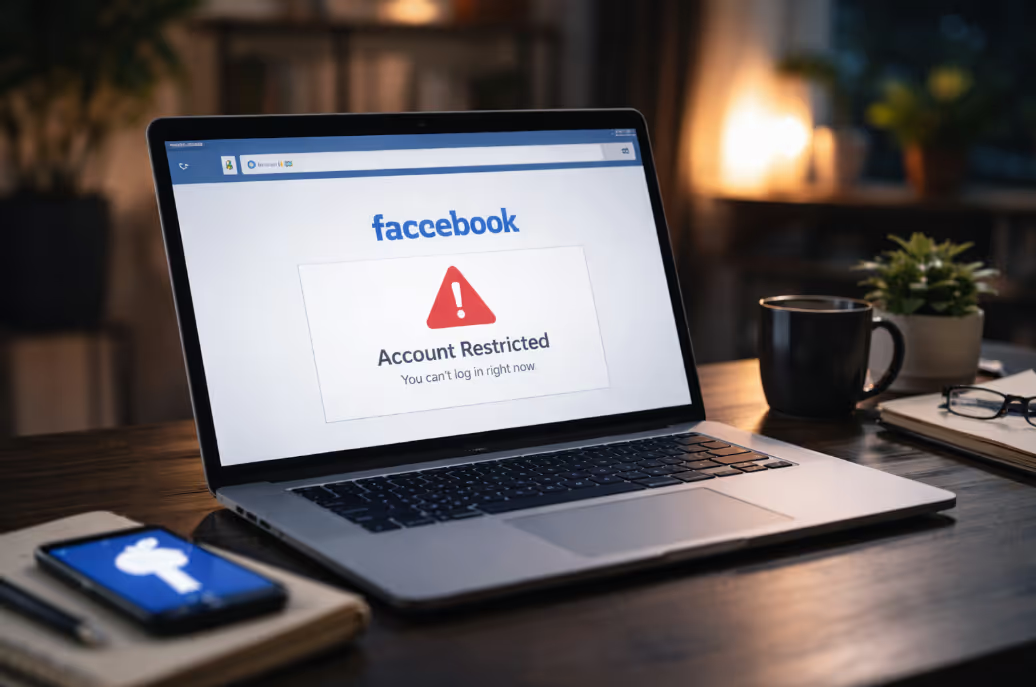
If you’ve just seen the message “Your account has been suspended” and you're thinking, “Facebook suspended my account and I didn’t even do anything wrong,” you're not alone. It’s frustrating, confusing, and often feels completely unfair.
The good news? You’re not powerless. There are clear, step-by-step actions you can take to understand why this happened, how to get your account back, and what to do if Facebook refuses to respond.
This guide will walk you through why accounts get suspended without warning, how to appeal, what to do if your appeal goes ignored, and how to protect your account moving forward.
It’s one of the most frustrating experiences online: your Facebook account is suddenly suspended, and you have no idea why. There’s no warning, no clear message, and often, no explanation. You try to log in and see a generic notice. Unfortunately, this kind of account suspension isn’t rare.
With over 3 billion monthly users, Facebook relies heavily on automated systems to manage security and content enforcement. These systems are fast - but not always accurate. To help you take the right next step, let’s look at the most common reasons Facebook might suspend an account without warning.

If your account has been unexpectedly locked, don’t panic. Follow these exact steps to figure out what’s going on and take immediate action. The earlier you respond, the better your chances of recovery.
Facebook usually sends a message explaining the reason for your suspension - but it may not appear where you expect.
If Facebook says you were restricted due to suspicious activity, it may show a “Confirm Your Identity” link. Take a screenshot of the message for future use.
Sometimes, access is blocked only on a specific IP or device.
Tip: If you can access your account on another device, check your Account Status in Facebook’s Settings under “Support Inbox”.
Even if you think you didn’t break any rules, review the Community Standards. Facebook may have flagged:
Sharing an old meme with incorrect health info could be flagged as “harmful content,” even if posted in humor.
If you're going to appeal later, it helps to keep a record:
This will help you create a more credible appeal and track inconsistencies in Facebook’s response.
If you’ve reviewed your activity and still can’t regain access, it’s time to begin the recovery process. Facebook may provide a direct appeal form through your Support Inbox or email. Follow the instructions carefully and submit your ID if requested.
However, if you’ve already appealed or haven’t received any response for days, consider getting outside help. Services like recover my Facebook account offer specialized support for suspended users - especially those who rely on their profile for business or personal branding.
If you believe your account was suspended in error, don’t wait. Appealing Facebook suspension quickly gives you the best shot at reversing the action.
Facebook typically prompts users to appeal directly on the login screen or through the Support Inbox. If you see an option like “Disagree with Decision” or “Request Review”, click it immediately - this is your entry point to start the appeal. You may also receive an email that includes a direct link to the appeal page.
If none of these are available, try visiting the general appeal form: https://www.facebook.com/help/contact/260749603972907
Your appeal should be short, factual, and respectful when you get suspended from Facebook. Avoid emotional or defensive language - Facebook reviewers are more likely to respond to calm, well-reasoned explanations.
Include the following:
Example:
"Hello, I believe my account was suspended by mistake. I did not violate any of Facebook’s Community Standards to the best of my knowledge. Please review my activity and restore access. Thank you."
Appeal timelines vary widely. In some cases, users hear back within 24–48 hours. But for others, the process can drag on for several weeks - especially if no ID was provided or if the system marked the case as low priority.
Unfortunately, many appeals go unanswered, especially for personal accounts with no ad spend or verified status. If you don’t hear back after 7–10 business days, it’s unlikely your case is being reviewed.
That’s when many users turn to trusted Social media support services. These services work with suspended users, escalate cases through the correct channels, and increase the chances of resolution - especially if your account is tied to your work, business, or digital identity.
If you’ve submitted an appeal and days or weeks have passed with no response, you’re not alone. Facebook’s review system often stops without warning, leaving users stuck in limbo. At this stage, repeating the same appeal usually does nothing.
If your appeal has been ignored or instantly rejected and you genuinely believe this is a Facebook account suspended for no reason, escalation is the correct next step. This typically applies when:
At this point, waiting longer rarely helps. Facebook’s automated system has already made its decision, and without escalation, your case may never reach a human reviewer.
Direct support options are limited, but not impossible. Some users can access live chat or email support through Meta Business tools, especially if they’ve run ads or manage verified Pages.
If you still have partial access:
If your personal profile is fully disabled, access to these channels is often blocked. That’s why business owners should immediately secure their assets or follow a dedicated recovery process like Recover Facebook Business Page before permanent damage occurs.
When Facebook’s internal process fails, professional social media support services like Social Rescue can step in to escalate your case properly. These services focus on accounts that were incorrectly flagged, stuck in automated loops, or tied to business-critical access.
They help by:
If you feel stuck after your Facebook account was suspended for no reason, you’re not imagining it - the system isn’t perfect, and many users end up locked out through no fault of their own. What matters most is how you respond.
Start by following Facebook’s appeal process, keep records of every message or rejection, and be precise with your communication. But if your appeal is ignored or you’re unable to access connected pages or ad accounts, it’s time to escalate through trusted channels.
You don’t have to face it alone. Get help through social media support services that understand the system inside and out - and can help you move forward with confidence.
Most suspensions are triggered by automated systems that detect potential violations or suspicious behavior. This can include content flagged by other users, login activity across regions, or posts that unintentionally violate community guidelines.
Sometimes, yes. If the issue is minor or flagged in error, a simple appeal may restore access. But in many cases, Facebook requires a government-issued ID to verify identity - especially if the suspension involves impersonation or security concerns.
Appeal responses can range from 24 hours to several weeks. If you don’t hear back after 7–10 business days, it may indicate that your case isn’t being actively reviewed. That’s when third-party support or escalation becomes important.
If your suspended profile controls business assets, act immediately. Use Facebook Business Manager to assign a new admin if possible.
Yes. Use your real name, avoid repeated posting behavior, turn on two-factor authentication, and limit use of VPNs. For those with large networks or public visibility, working with social media support services can also help reduce long-term risk.
.avif)



.avif)


.png)
.png)
.png)