To build an online presence without Facebook is like setting up shop on a back street with no sign above the door. Tons of businesses, whether local or international, may find it difficult to reach the right audience, effectively target ads, or appear credible online due to an incomplete or poorly set-up presence on Facebook. If you, as a business owner, have asked yourself how to create a Facebook business page professionally, which can boost your business growth, this guide is for you. It will walk you through the process step by step, making it clear, simple and easy to follow.
On the other end, we’ll also focus on what to do if things aren’t going well for your business, including how to delete facebook business page options. At the end, you a business owner, will have a professional, clean setup that’s ready for customers, ads, and long-term success.
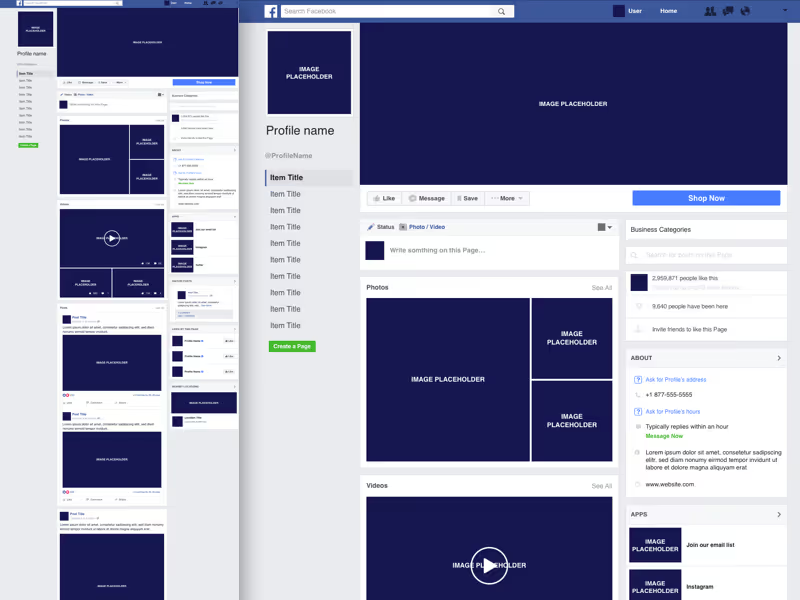
Before you begin, find your business name, category (find it on the site so you can search in the right place), website URL, logo, and contact information. Gather all these info and update your page accordingly. Complete profiles get more engagement and look more legitimate to people.
From your personal Facebook profile, go to the Pages section, click “Create Page.” Select a business category that is most similar to your services. This action has a direct impact on discoverability in Facebook search and recommendations.
Pages with accurate categories and descriptions see higher organic reach compared to vague or generic setups.
Add a high-quality logo and cover image to fit your branding. Craft a straightforward “About” us using customer-centric language. Add business hours, location, and company contact information for better local search visibility.
Best practice: Facebook Blueprint-certified marketers recommend updating profile visuals quarterly to stay fresh and relevant.
Customize privacy, messaging and notification preferences. Assign admin or editor roles to teammates with caution. When access is restricted, there are fewer security vulnerabilities and the quality of the content is sustained.
Agencies working with multiple clients frequently need a structured way to make sure nothing is changed by mistake or ad account issues.
Connect your page to Meta Business Suite to manage messages, ads, and insights in one place. Businesses (or other accounts) wanting to run ads or protect their brands should get social media verification for the added authenticity and impersonation safeguard.
Get a head start and write an introduction post, service overview and customer-centric update. Seek help from real-time metrics on Facebook Insights to monitor performance, engagement levels, reach and user behavior. Content decisions based on data are always better for the long game.
According to a report, brands that post 3–5 times a week achieve higher engagement consistency than sporadic posting
Managing a business page is ongoing work. If issues arise—such as page access problems, restrictions, or growth challenges, professional Social media support services can help resolve them efficiently while protecting your brand presence.
You can’t do that. Facebook needs a personal profile to grant you admin access, but your personal information won’t be visible to anyone on the business page.
It is free to create and maintain a page. The only thing you pay for is running paid ads or promotions.
Absolutely. Admins can give people roles such as editor, moderator or advertiser based on duties.
Just a quick setup can have you up and running in 15–20 minutes. Optimization and content planning can be a longer process for the best results.
Yes. Another fact is that according to Pew Research, 68%+ of adults in the US are on Facebook, providing a great place for you and your business to be seen by potential clients!
Switch to the Page's profile, going to Settings & Privacy > Settings > Access and Control, then choosing Delete Page.
Understanding how to create a Facebook business account isn’t just about checking things off the list; it’s about laying the groundwork for visibility, trust, and growth. With the proper page setup, detailed optimization and ongoing management, your page is a strong digital asset. Whether you want help scaling your brand presence or protecting it, professional support can save time and costly mistakes.
.avif)



.avif)


.avif)
.png)
.png)
.png)