Did you ever post something on Instagram and find it on Facebook, too, without your consent? Or perhaps your posts are automatically synchronizing, and you would like some additional control over where and what is posted. You are not the only user with this problem; this is common among users whose accounts are connected.
In case you were trying to figure out how to unlink Facebook and Instagram, this guide will make that easy for you to fix in no time. We will take you through step-by-step instructions, how account linking works, and how to prevent unwanted sharing. You will also acquire best practices of social media experts so that you can manage your accounts in a better and safer way.
It is crucial to know how to unlink Facebook and Instagram in order to have complete control over the use of social media.
The official help center of Meta states that connecting accounts is not compulsory and can be modified at any time in the Accounts Center. This provides flexibility to the users concerning online presence.
In case you are willing to de-link your accounts, you will do so in the following steps:
1. Open Instagram and access your profile.
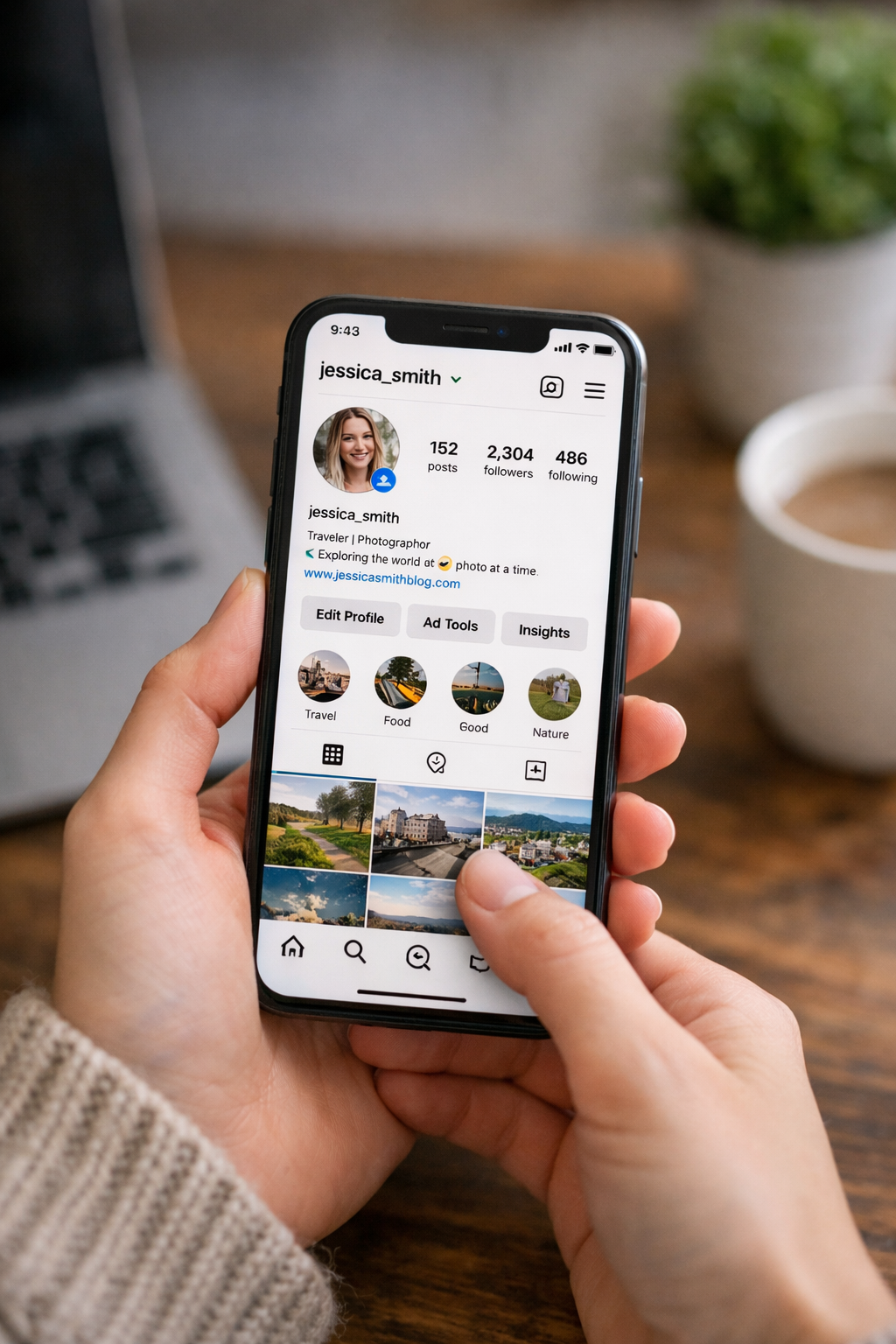
2. Click on the menu button (three lines).
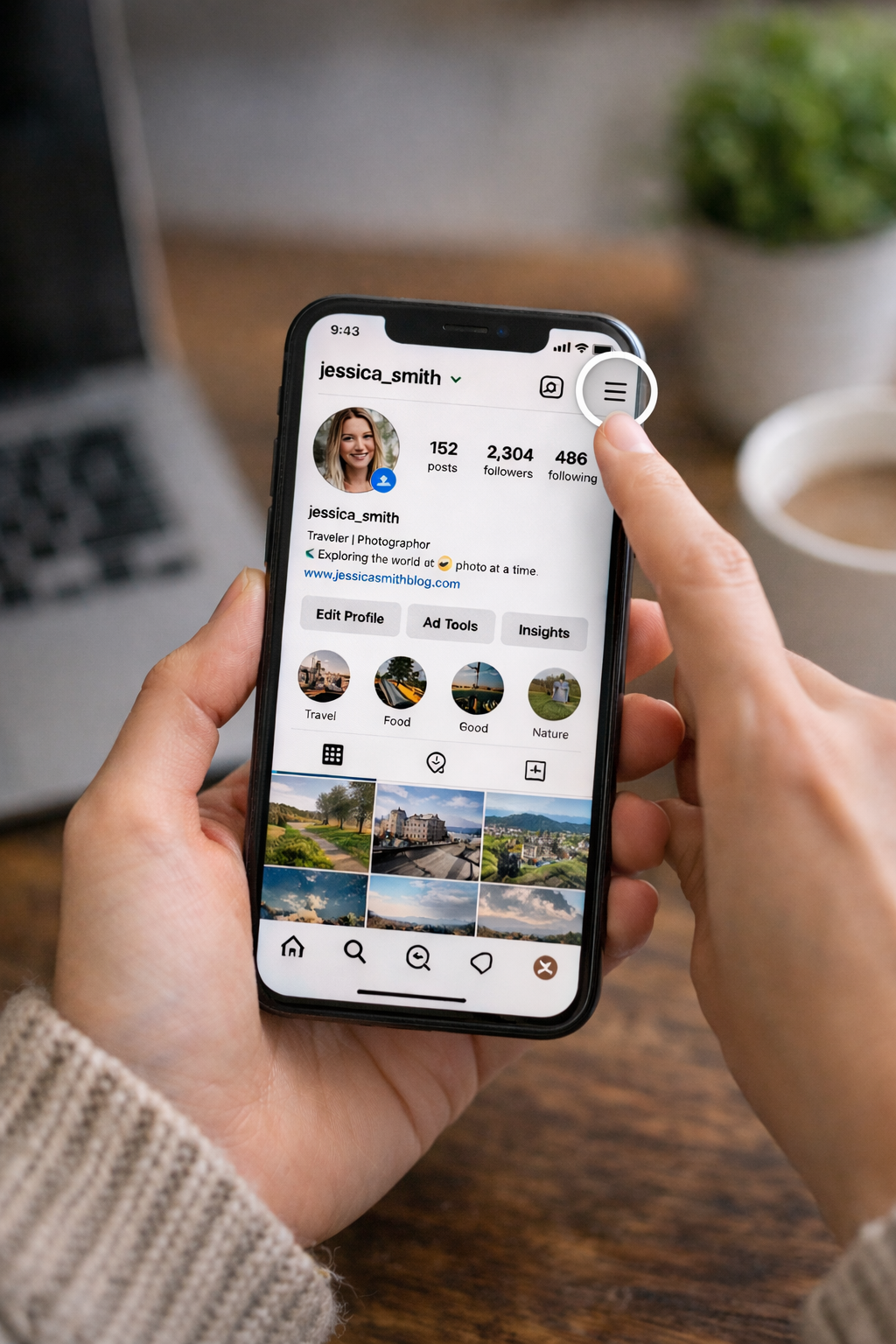
3. Choose Settings and Privacy.
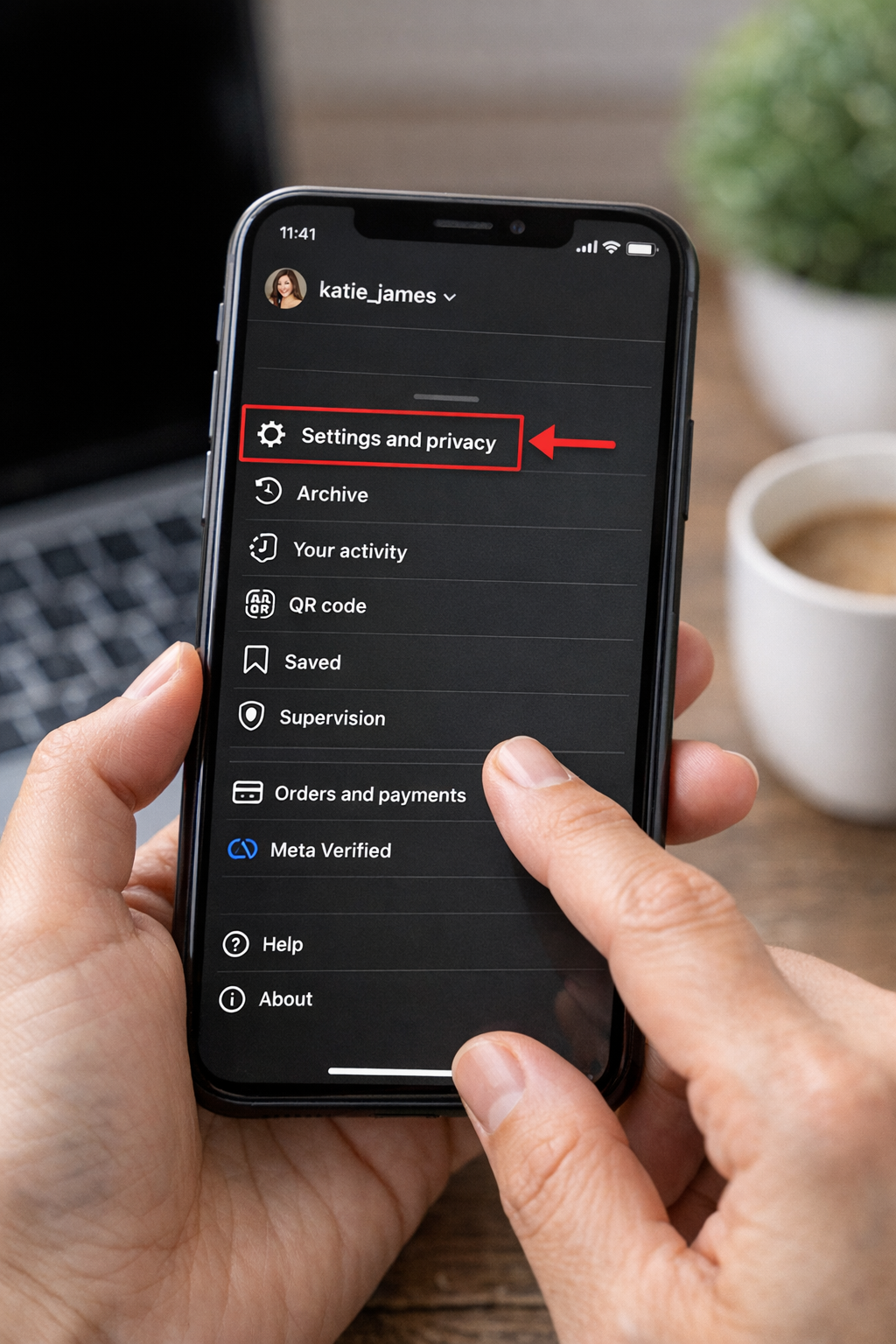
4. Tap Accounts Center
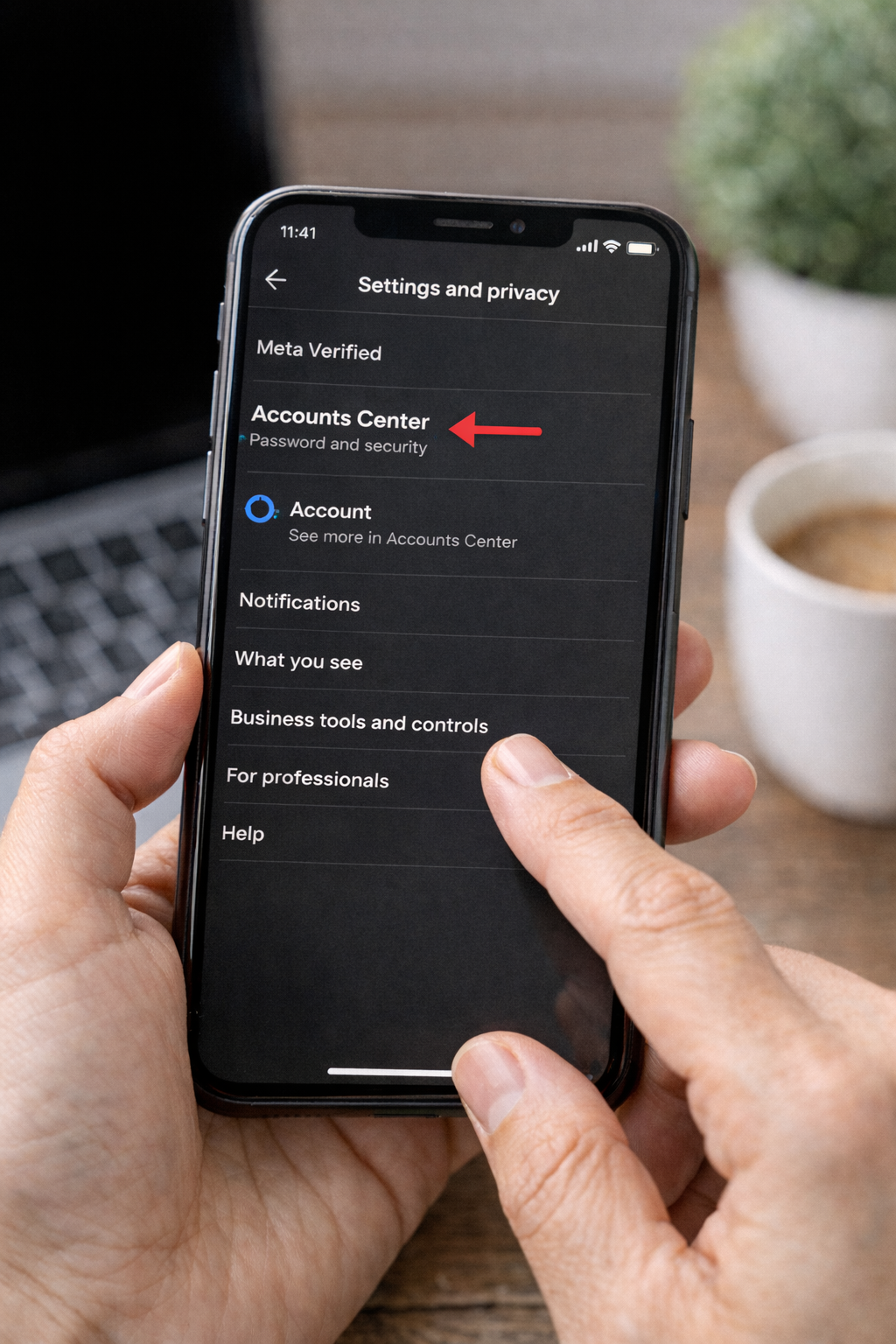
5. Go to Accounts
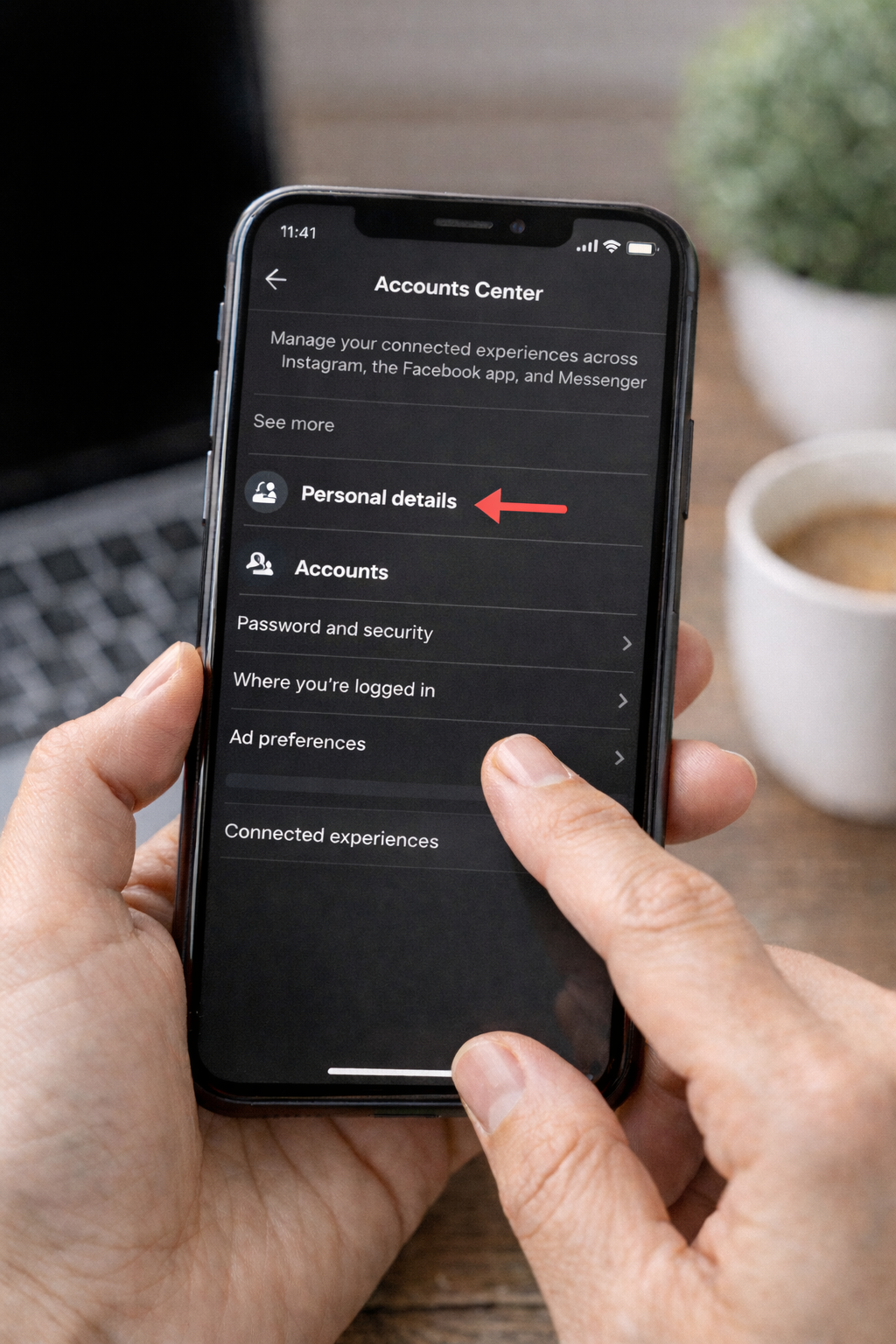
6. Choose your Facebook account and tap delete/take out of accounts center.
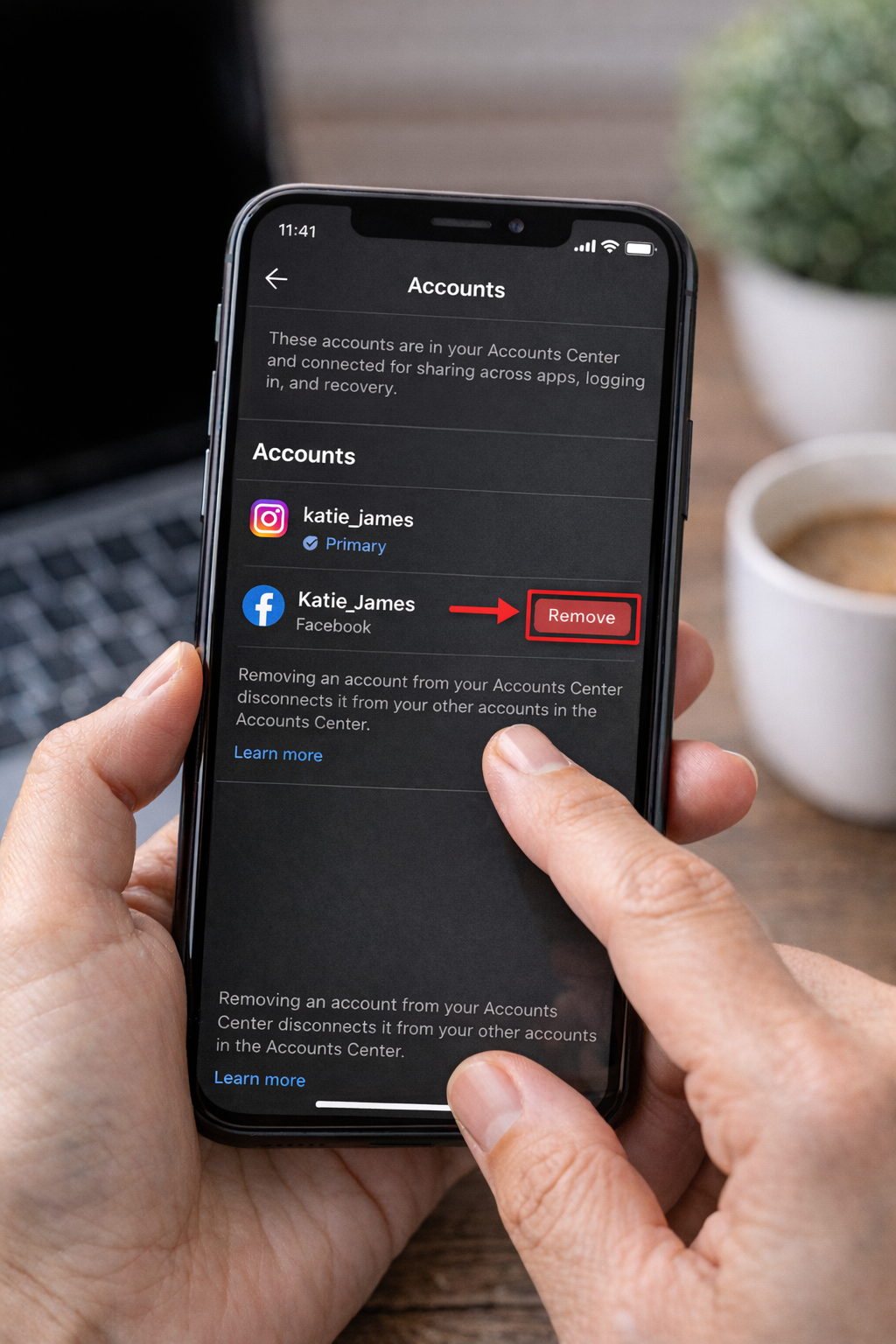
After doing this, your accounts will no longer be connected.
Other users prefer using Facebook settings instead. In case you are searching for how do you unlink Instagram from Facebook, here is an easy way:
These make sure that the two platforms are completely detached.
There is a tendency to have ads and promotions tied to business accounts, yet this might be required to be unlinked.
In case you do not know how to unlink an Instagram account from Facebook, this is one of the ways to keep control without influencing your business tools to a great extent.
You do not necessarily want to disconnect your accounts completely, sometimes you want to cease sharing stories.
This can resolve the frequently asked question: how to unlink Facebook and Instagram stories, but not the entire connection.
As practice has shown, most users feel more empowered once unlinked, particularly in handling various kinds of content.
To avoid issues, follow these expert tips:
According to HubSpot, businesses that customize content per platform see up to 23% higher engagement rates. This supports the idea of managing accounts separately.
Unlinking accounts can sometimes lead to login issues, especially if you rely on Facebook to access Instagram. If you’ve run into issues like this, it’s a good idea to use Facebook account recovery services to regain access quickly and securely.
When accounts are unlinked, it’s important to protect your usernames and branding. You can secure your identity with an Instagram username claim, which helps ensure your handle is safe and consistent across platforms.
Accounts can quickly go downhill if they are not managed well, which is why social media professionals encourage the use of trusted tools and guides.
These sources are data-backed and reliable, allowing you to manage your accounts in a better manner.
Yes, you could always reconnect your accounts from the accounts center at any time. It is a very simple procedure and takes only a couple of minutes.
No, unlinking just disconnects the accounts.
This typically will occur when cross-posting settings have not been turned off Stop sharing from the Accounts Center.
It depends on your strategy. Unlinking helps if you require different branding and analytics.
Utilize account recovery tools or reset your password. These are the original login options that deserve a backup.
Now that you know how to unlink Facebook and Instagram, you can take complete charge of your social profiles. Whether your goal is to improve privacy, manage each platform separately, or create distinct branding, unlinking them can be a smart and effective choice.
Review your settings today in this guide, and get the setup you want, which may only take a few minutes. Even little modifications like this can make a big difference in how you manage and shape your online reputation.
.avif)



.avif)


.png)
.png)
.png)