Are you tired of social media? You’re definitely not alone. And research indicates that the longer you spend scrolling on such sites, the more stressed and unproductive your life can be.
In a report released in 2023 by the Pew Research Center, it was discovered that almost 40 percent of users have stopped using social media or have temporarily disabled or deleted their accounts due to either privacy or mental health concerns.
If it is suddenly dawning on you that you should take a step back and get your digital life under control again, then learning how to delete an Instagram account permanently will be one of the most powerful moves you can make.
No matter your privacy concerns, you want to focus on your mental health or just need a break from the disposable scrolling, then this guide will have you covered through everything.
It is very important to understand what deleting an Instagram account really means before you know how to delete it permanently.
If you delete your account for good:
Even if permanent deletion feels like the most extreme, a lot of people confuse temporary deactivation with permanent deletion.
You might be wondering what the difference between these two options is, especially if you’re looking for Instagram delete account help. In such cases, some users also explore social media support services to better understand whether deletion or deactivation is the right choice.
Temporary Deactivation:
Permanent Deletion:
If you are 100% sure, then go ahead and delete Instagram account permanently.
These delete Instagram account steps should be carefully followed:

Open up Instagram in a browser (not the app). Log in with your credentials.
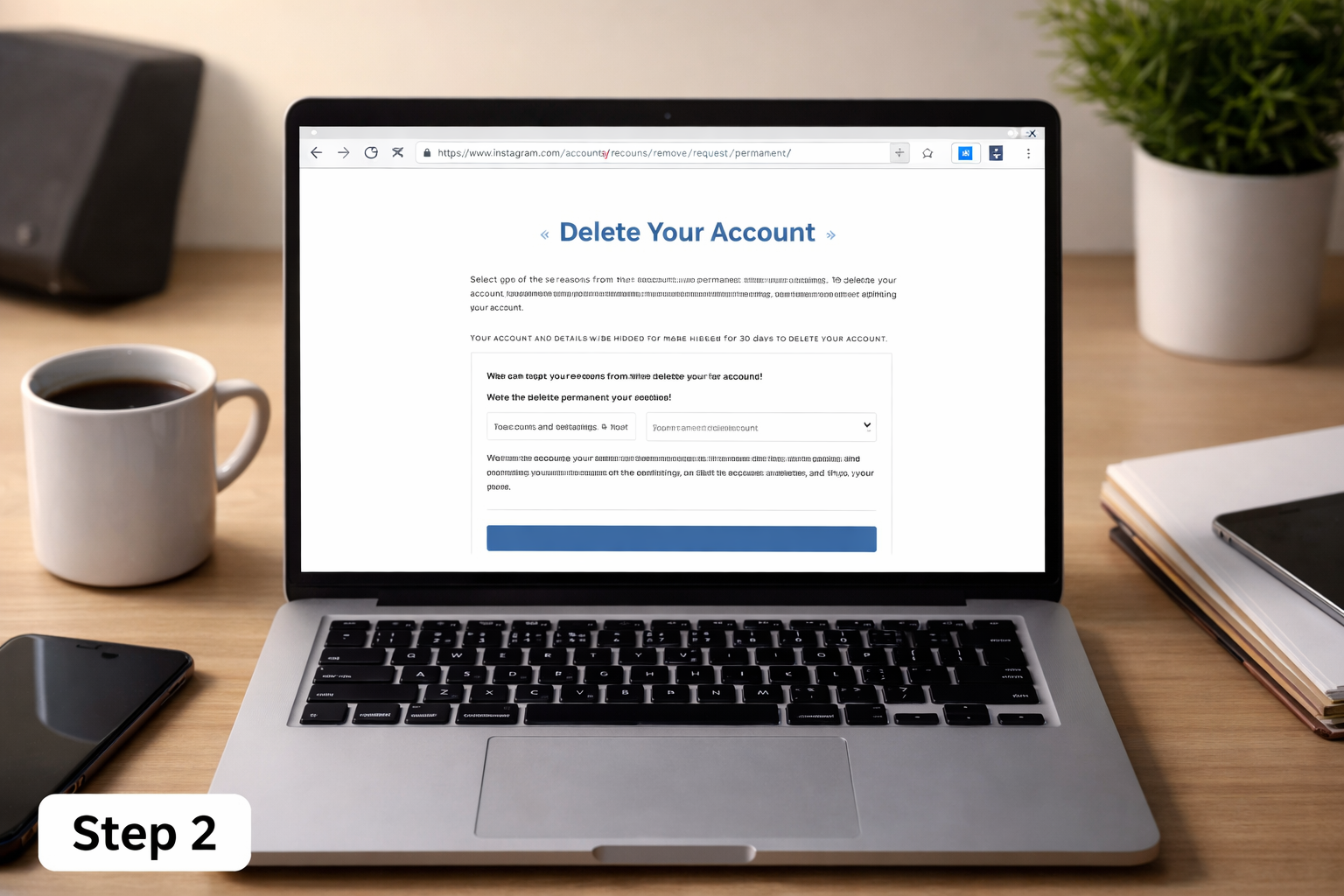
You can’t delete directly on the app. You need to go to the official delete page.
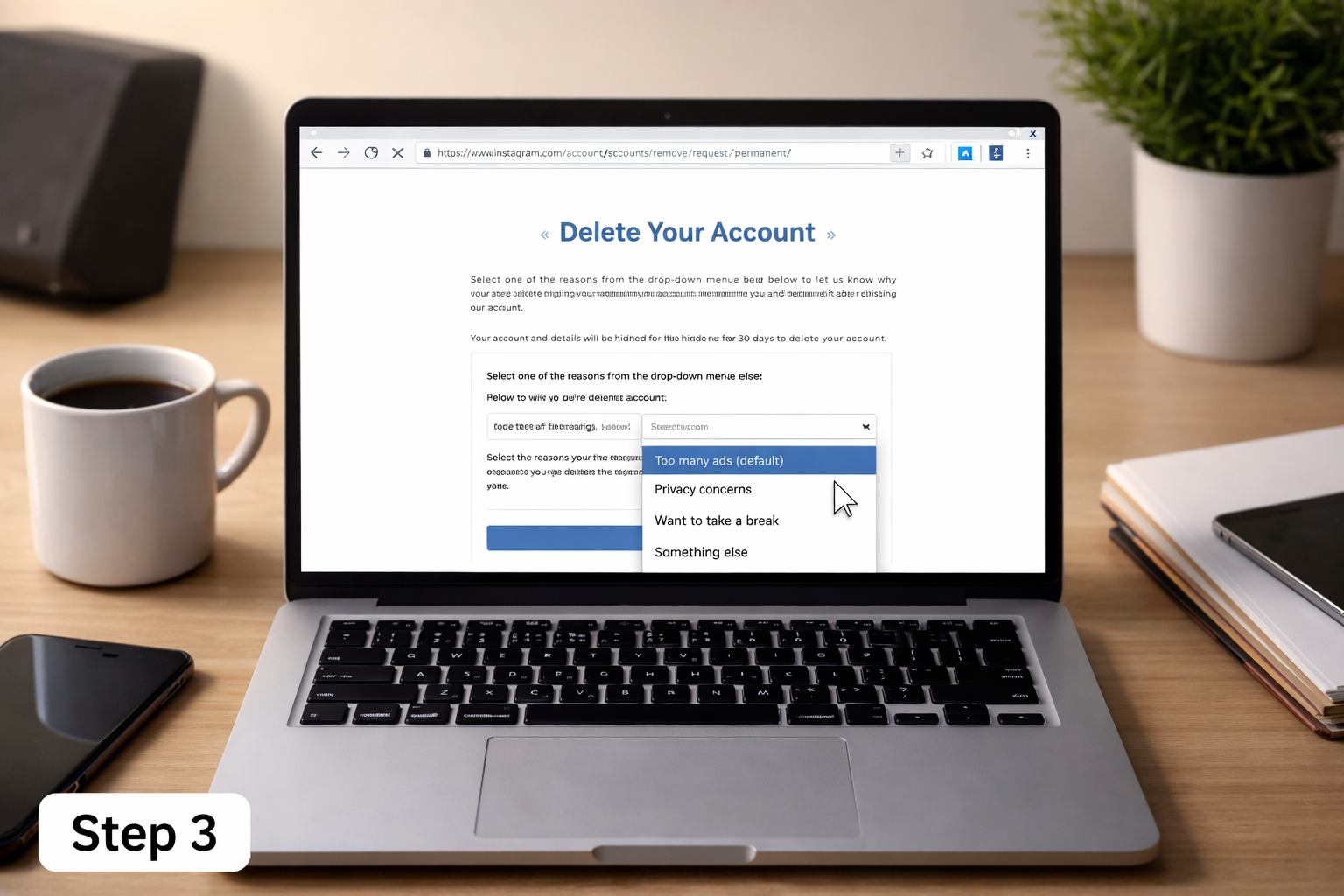
Select the reason you want to leave Instagram from a dropdown.
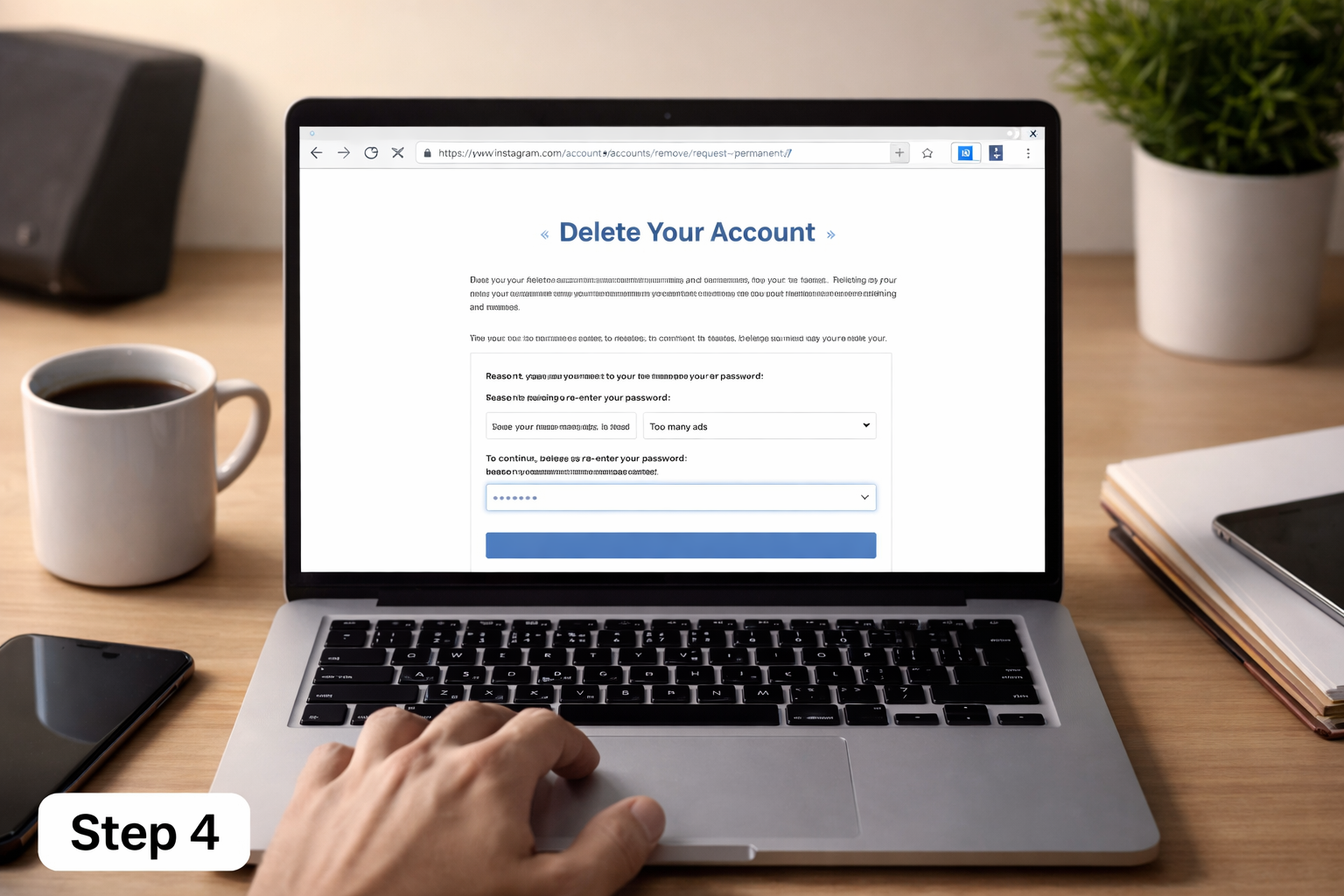
This will prompt you to verify your password for security purposes.
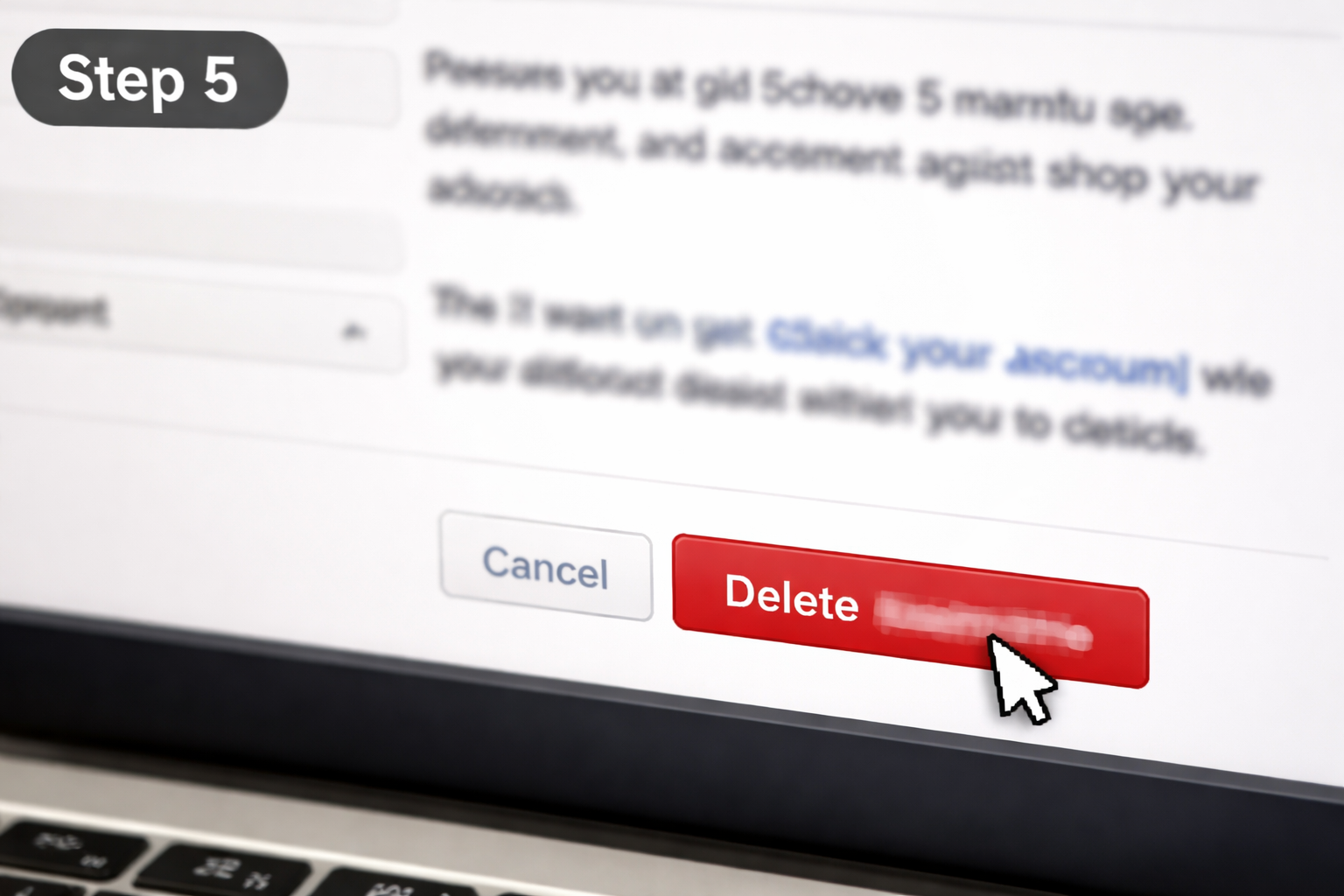
Select “Delete [Your Username]” and confirm your decision.
Once this process is done, your account goes into a deletion queue and will be permanently deleted after a grace period.
Here’s the easiest way on ‘’how to delete an Instagram account on a phone’’:
There is no direct deletion option in Instagram’s mobile app, so a browser must be used.
The following are best practices to consider before going through the delete Instagram account process permanently:
You can download your posts, videos, and even messages on Instagram. This way you won’t lose precious memories.
Inform friends or followers you’re leaving so they can connect with you elsewhere.
If you are deleting for reasons related to hacking or access issues, you may benefit from account recovery services. Instagram online recovery services can help you recover your account and prevent it from these types of dangers.
Once you delete an Instagram account permanently and survive the grace period, there is no getting it back.
Instagram will take 30 days to delete your account completely once you complete this action.
No, you cannot delete an Instagram account in the app. You must use a browser.
Your messages might still show up in other users’ inboxes, but your profile will be deleted.
Yes, if you don’t yet want to delete your account for good, you can deactivate it.
If you want to regain control over your time, privacy, and mental well-being, deleting your Instagram account can be an easy process if you follow the right steps.
Not sure which to choose? Opt for temporary deactivation first. But if you’re ready to take the next step, deleting for good is a powerful reset button on your digital life.
Additionally, if you encounter any issues during the process, you can seek Instagram delete account help from reliable sources. In more complex cases, specialized Instagram account recovery services may assist in resolving account-related problems or restoring access.
.avif)



.avif)


.png)
.png)
.png)
.png)