A study of social media usage from the Pew Research Center shows that a significant percentage of Americans report taking breaks from all platforms for reasons related to mental health and productivity.
Wondering how to deactivate an Instagram account? This comprehensive guide takes you through every step. We’ll also clarify how to deactivate an Instagram account permanently and what happens to your data, as well as how to recover your account if applicable.
Let’s go through it, step by step.
Before getting into how to deactivate Instagram, though, it’s important to know the difference between deactivation and deletion:
Instagram helps users control their accounts through their privacy settings and account management tools
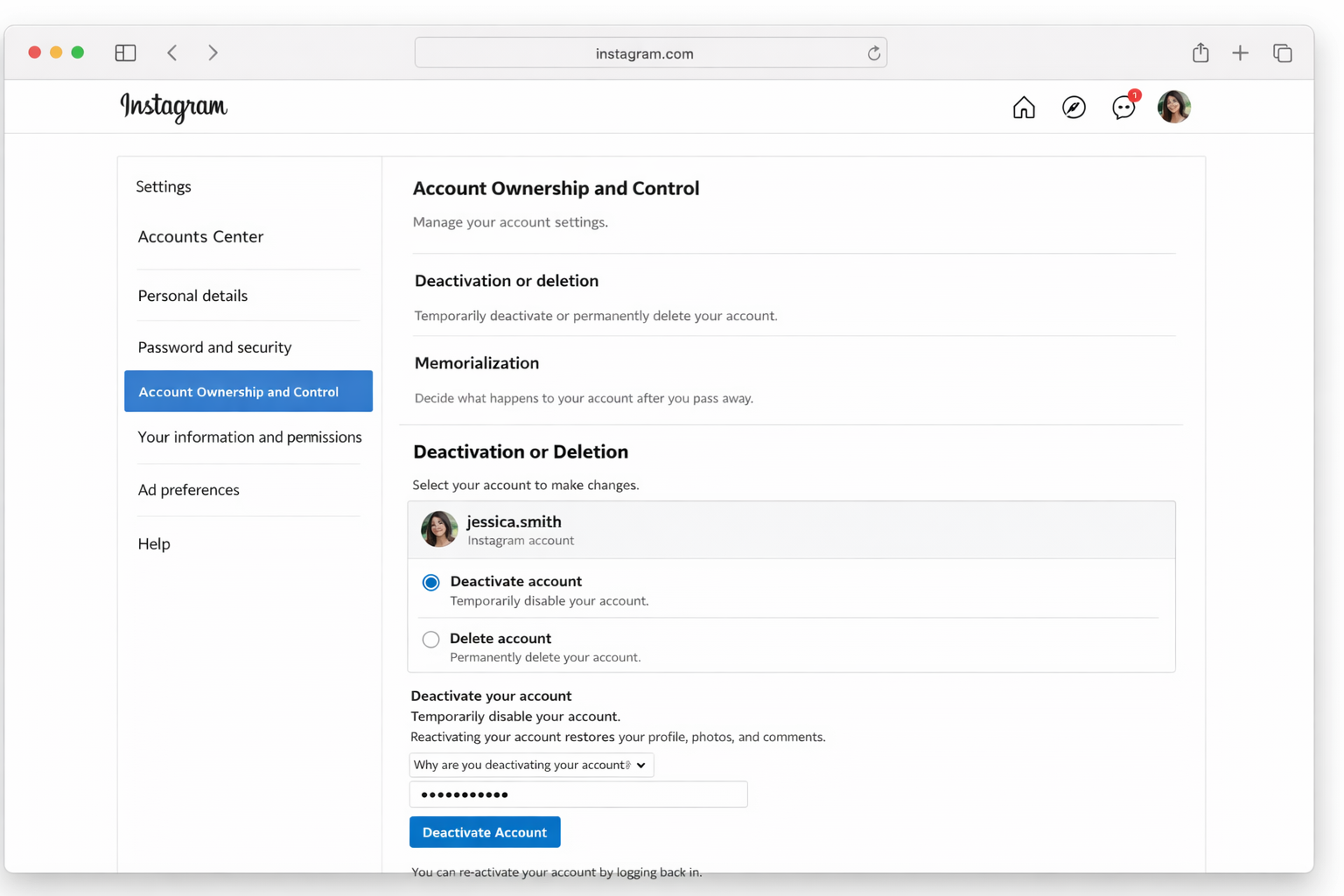
If you want to know how to temporarily deactivate Instagram, you can do so via a desktop browser with this process:
Step-by-Step Guide:
Important Notes:
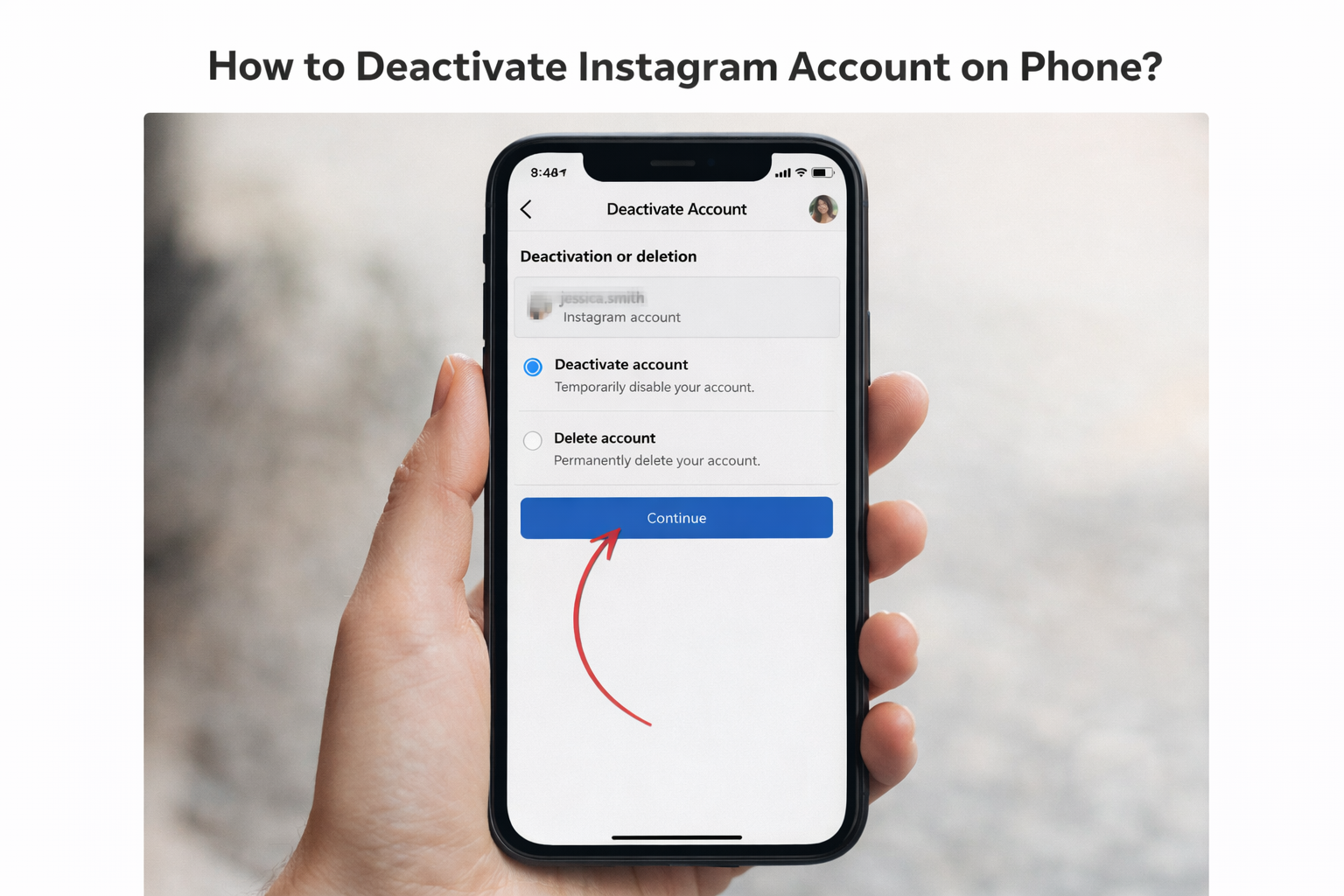
A lot of the users search especially for how to deactivate Instagram accounts on the phone, and in that way they differ a bit.
From the Instagram App (iPhone or Android):
If you’re handling more than one account, make sure the one you’ve selected is the right one before you confirm.
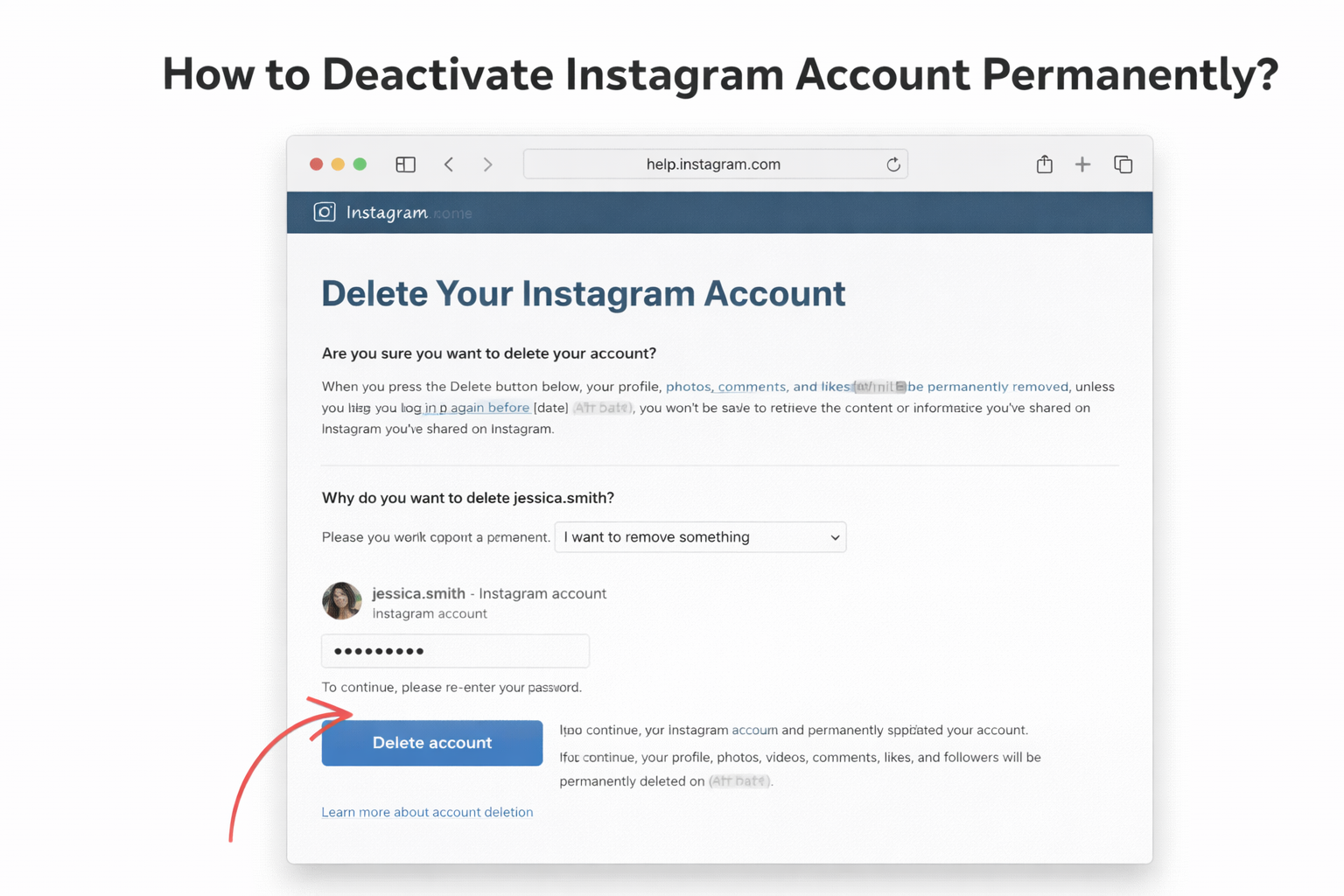
If you have decided that you want your profile gone for good, here is how to deactivate Instagram account permanently (technically known as deletion).
Permanent Deletion Steps:
Instagram also typically offers a 30-day grace period depending on deletion. You can sign back in to abort the deletion request during this time period.
If you don’t know, deactivation is usually the safer first move.
Numerous users inquire how do I delete my Instagram account instead of deactivating it.
Here’s the key difference:
Feature
Deactivation
Deletion
Profile Visible
No
No
Data Recoverable
Yes
No (after 30 days)
Login Possible
Yes
No
Username Saved
Yes
No
Deletion is irreversible from the point of view of cybersecurity. According to the Federal Trade Commission’s consumer privacy guidelines, users should always download their personal data before deleting online accounts.
To download your Instagram data:
In some cases, users want to deactivate or delete their accounts but are unable to log in because they have been hacked or have lost their passwords. In that case, professional account recovery services can help restore access before you make changes.
If an Instagram account has been hacked, seek expert help for instagram account recovery before trying to delete it.
Before you go ahead and deactivate Instagram, here are a few tips from the experts:
These steps ensure the user does not accidentally lose data.
Yes. Just re-sign into your account with your username and password. Your profile and corresponding content will be restored there instantly.
There’s no time limit. But you can only deactivate once a week.
No. Your messages continue to be visible to others, but your profile name might show up as “Instagram User.”
No. Uninstalling just takes the app off your phone; your account still exists unless you deactivate or delete it.
No. You need to log in at least once to confirm your ownership, before deactivation or deletion.
Take back control of your digital presence. Whether you want to take a break and temporarily deactivate your account or manage privacy permanently by deleting it, knowing what the options are can help guide the decision.
The social media support services are here to assist you in recovering and securing your account before taking irreversible steps. Take help if you are facing trouble with account access or having security issues.
So take your time, examine your data and select the option that fits best with your digital objectives.
.avif)



.avif)


.png)
.png)
.png)
.png)